 Add to Chrome
Read Spiegel, Zeit and FAZ without a dictionary.
German News Reader turns any German webpage into bilingual text with synced audio. Each sentence is highlighted as you hear it — first in German, then in English.
Desktop Chrome only. Requires an active Language Master Platinum or Chrome Extension pass — the extension uses premium DeepL limits.
Regierung stellt neues Klimapaket vor
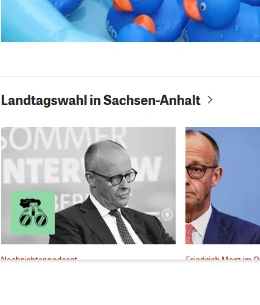
Die Bundesregierung hat am Montag ein neues Klimapaket vorgestellt.
The federal government presented a new climate package on Monday.
You don't quit German because it's hard. You quit because reading it is slow.
Three friction points end most reading sessions before the second paragraph. The reader removes all three.
Three steps, about three minutes.
Set it up once. After that, reading a German article is one click from any tab.
Get access
Create your account at languagemaster.org and pick the Platinum Access Pass or the standalone Chrome Extension pass. Use an email you can sign in with later — it's the same one the extension asks for. View plans →
Install and sign in
Add the extension from the Chrome Web Store, then pin it: click the puzzle-piece icon and hit the pin next to News Reader. Click the icon, sign in with the same email, and you're activated. Full setup guide →
Open a German page, press Play
Go to any German article, click the News Reader icon, and press Play. The side panel opens, the page becomes bilingual, and the audio starts. Sit back and read along.
Prefer to watch? See the two-minute walkthrough →
Built for reading German, not for translating it away.
Bilingual audio
Every sentence is read in German first, then in English — so you get a moment to work it out yourself before the answer arrives.
Auto-highlighting
The page scrolls itself and marks the exact sentence being read. Look away, look back, and you're still on the line — you never lose your place.
DeepL translations
Context-aware German→English from DeepL, which handles separable verbs, compound nouns and word order the way a speaker actually would.
Persistent side panel
It lives in Chrome's side panel, not a popup. Click links, switch tabs, scroll — the reader stays open and keeps your position.
Smart extraction
Ads, cookie banners, menus and related-article rails are stripped out automatically. What's left is the article — and only the article.
Any German page
News sites, blogs, company pages, Wikipedia, government notices. If it's German text on the open web, the reader handles it.
Same tool, four very different reading sessions.
Get from textbook German to real German
The jump from graded readers to a live news site is where most learners stall — real articles use vocabulary no course covered, in sentences three lines long. The reader lets you take that jump immediately, with support on every line instead of on none.
Pass the Lesen and Hören modules on authentic journalism
Goethe-Zertifikat B2/C1 and telc exams test your ability to comprehend long-form journalistic prose under strict time limits. Practising on Spiegel and Zeit articles prepares you for exam syntax and argumentation structures.
The information you need is published in German. Read it there.
Rent law, Anmeldung rules, insurance terms and local news are published in German first. Read the original official text with instant English support instead of waiting for a summary.
Consume industry reports and trade press in original German
Keep up with Handelsblatt, WirtschaftsWoche, and technical publications in engineering, finance, and legal sectors without friction.
Why not just use Google Translate?
You can — but full-page translation removes the German, which is the part you came for. Here's how the common approaches actually differ.
| Capability | German News Reader | Google Translate | Generic TTS extension | Copy-paste |
|---|---|---|---|---|
| German text stays on screen | Yes | Replaced | Yes | You leave the page |
| Sentence-level highlighting | Yes | No | Sometimes | No |
| German audio, then English audio | Yes | German only | One language | No |
| DeepL translation quality | Yes | Google MT | None | If you pick DeepL |
| Ads and navigation stripped | Yes | Translated too | Varies | Manual |
| Stays open while you browse | Side panel | In-page | Popup closes | No |
| Effort per article | One click | One click | One click | Dozens of pastes |
See the extension in action
Watch how sentence-by-sentence German audio and DeepL translation work in real time across authentic news articles.
One payment, one year of full access.
No recurring subscriptions, no auto-renewals, nothing to remember to cancel. One purchase = 365 days of unlimited access.
EXTENSION ONLY
The German News Reader on its own. For learners and professionals who want to read native German news without friction.
PLATINUM PASS
The reader plus the complete Language Master curriculum: 308 books, 20k flashcards, video lectures, and exam packages.
One payment, 365 days of full access. No automatic renewals. View full feature comparison matrix →
Everything people ask before installing.
What is the German News Reader?
German News Reader is a Chrome extension by Language Master that turns any German-language webpage into bilingual text with synced audio. It highlights each sentence as it reads it aloud in German, then plays the English translation, powered by DeepL.
Does it work on any German website?
Yes. It works on any German-language webpage, including news sites such as Spiegel, Zeit, FAZ, Tagesschau, Süddeutsche Zeitung and Handelsblatt, as well as blogs and company pages. It automatically extracts the article text and strips out ads, menus and navigation.
Do I need a subscription?
Yes. The extension is a companion tool for Language Master and requires an active Platinum Access Pass or a standalone Chrome Extension Access Pass. The subscription covers the premium DeepL translation and audio limits the extension uses on your behalf.
Which browsers are supported?
German News Reader runs on Google Chrome on desktop, and on Chromium-based desktop browsers that support the Chrome side panel, such as Edge, Brave and Opera. It is not available on Chrome for Android or iOS, because mobile Chrome does not support extensions.
Which translation engine does it use?
Translations come from DeepL, which handles German word order, separable verbs and compound nouns more accurately than standard machine translation. Because DeepL translates whole sentences in context, the English you read matches how a German speaker would actually phrase the idea.
Does it read aloud in both languages?
Yes. For each sentence you hear the original German first, then the English translation immediately after. This German-then-English pattern lets you attempt comprehension yourself before the answer arrives, which is what builds reading speed over time.
What German level do I need?
The reader is most useful from A2 upward, and is designed for A2 to C1 learners. Beginners can follow along using the English audio as a safety net, while B2 and C1 readers typically use it to move through long articles faster than they could unaided.
Can I keep browsing while it reads?
Yes. The reader lives in the Chrome side panel rather than a popup, so it stays open while you click links, switch tabs or scroll. A popup closes the moment you click anywhere on the page; the side panel does not.
How is this different from Google Translate?
Google Translate replaces the German page with English, so you stop reading German. German News Reader keeps the German text in front of you, highlights the sentence being read, and shows the translation alongside it — so the original stays the thing you are practising.
Does it work on PDFs or paywalled articles?
It reads German text rendered as normal HTML on a webpage, which covers most news sites, blogs and web apps. Text inside PDF viewers, images or scanned documents is not extracted. Paywalled articles work only for the portion your browser is actually showing.
Can I use it on my phone?
Not yet. Chrome on Android and iOS does not support extensions or the side panel, so German News Reader is desktop only. Your Language Master account still works on mobile through the website for the rest of your learning material.
How do I cancel?
You can cancel from your Language Master account page at any time, and your access continues until the end of the period you have already paid for. If something is not working, contact support at languagemaster.org/support before cancelling and we will look at it.
The German web, in a language you can follow.
Get a pass, add the extension, open any German article and press Play. Three minutes from here.