 Add to Chrome
How to turn any German website into bilingual text with audio
Follow this one-time setup to install, pin and activate your German News Reader extension.
What you need before starting
A desktop computer
Windows, macOS, Linux or ChromeOS. Mobile browsers do not support extension side panels.
Google Chrome browser
Or any Chromium desktop browser that supports the Chrome side panel API (Brave, Edge, Opera).
Active Language Master pass
Either a Platinum Access Pass or a standalone Chrome Extension pass to fund DeepL limits.
Setup in five straightforward steps
Get access at languagemaster.org
Choose your plan — Platinum Access Pass ($244.94/yr) or Extension Only ($99.59/yr) on Language Master. Use the email address you check regularly; this email activates your full extension privileges.
View subscription options →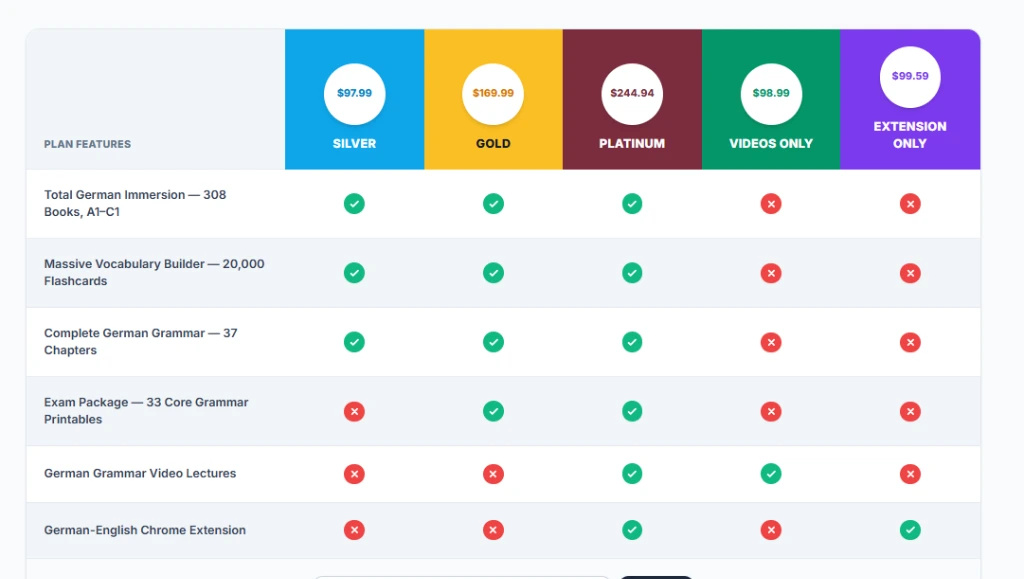
Install from the Chrome Web Store
Visit the official German News Reader extension page on the Chrome Web Store and click the blue "Add to Chrome" button. Confirm the browser prompt to install.
Open Chrome Web Store →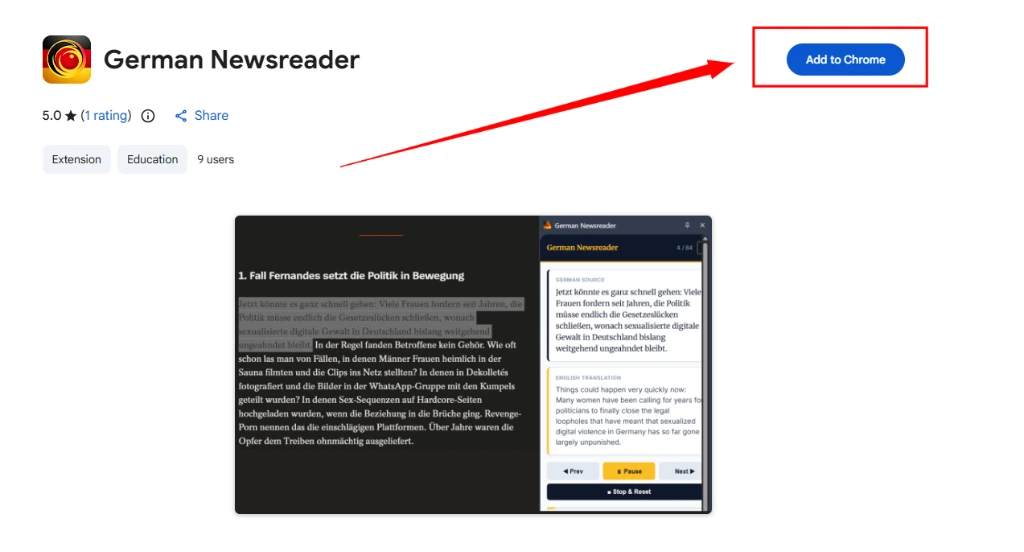
Pin the icon to your toolbar
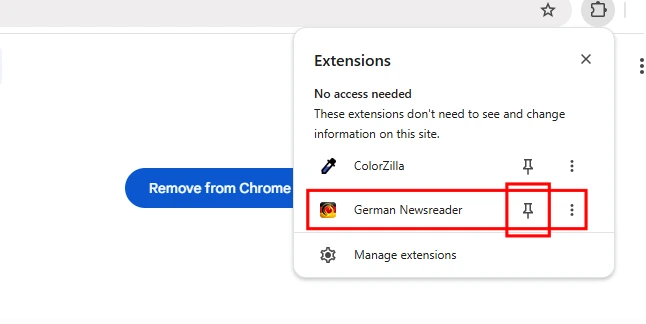
Click Chrome's puzzle-piece icon (Extensions menu) in the top-right toolbar. Locate German Newsreader and click the pin icon so it stays permanently visible for 1-click reading.
Open any German news article
Navigate to any article on Die Zeit, Der Spiegel, FAZ, or Tagesschau. Click the pinned extension icon to open the side panel and link your active Language Master membership.
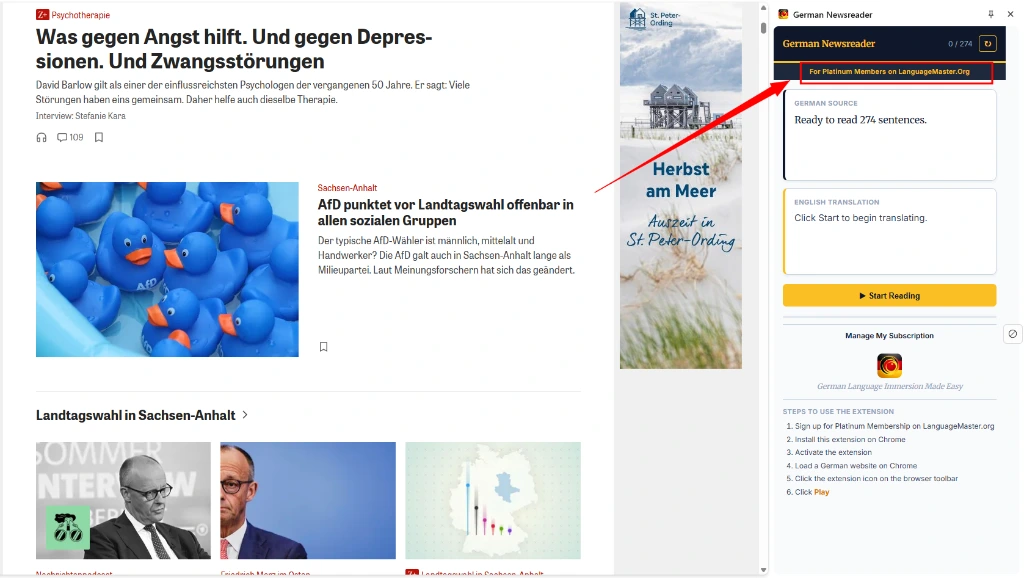
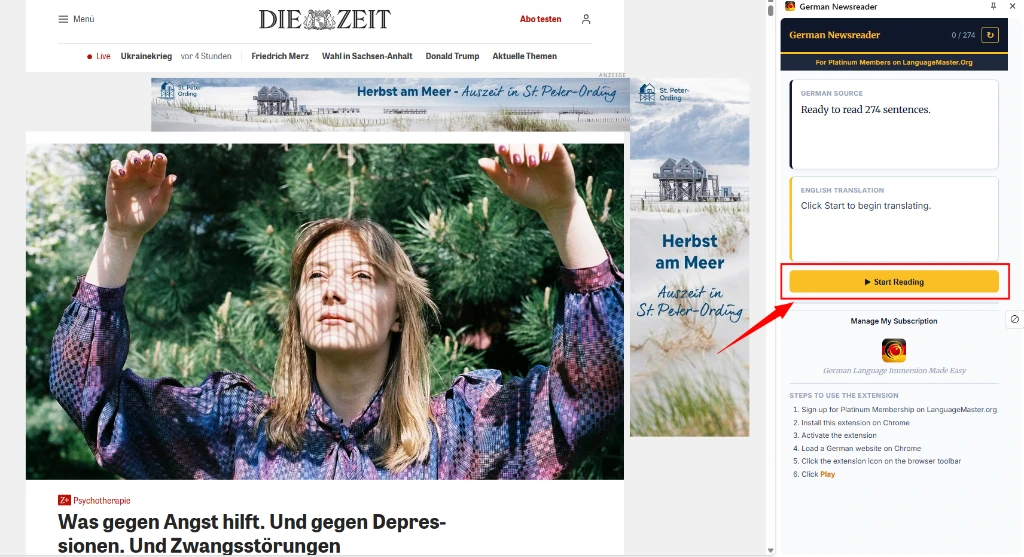
Click "Start Reading" & follow along
Click the yellow "Start Reading" button in the side panel. The extension begins reading sentence-by-sentence in German with instant English DeepL translations right beside each line.
Two-minute visual walkthrough
Watch how the side panel behaves during live browsing across multiple tabs.
How to get the most comprehension from every session
Attempt the sentence first
Listen to the German audio and formulate your understanding before the English translation arrives. That brief cognitive effort is what wires vocabulary into long-term memory.
Re-run tricky paragraphs
If a sentence contains a complex subordinate clause or passive construction, click it in the side panel to replay the audio once more without leaving the article.
Start with Tagesschau
Tagesschau reports use standard journalistic grammar with direct subject-verb order. Once comfortable at B1, graduate to Die Zeit and Der Spiegel for longer editorial prose.
Keep the side panel pinned
Unlike popup extensions that disappear on click, the Chrome side panel stays anchored. Browse related links, read comments, or check vocabulary smoothly.
Common issues and quick solutions
If something behaves unexpectedly, find the symptom and fix below.
| Symptom | Likely Cause | Exact Fix |
|---|---|---|
| Side panel does not open | Chrome extension side panel permissions disabled | Click Chrome's puzzle-piece icon → click German News Reader directly to launch the panel. |
| Sign-in rejected / pass not found | Different email entered than the purchase address | Verify the receipt email from your Language Master purchase and enter the exact same address. |
| No audio plays when pressing Play | Browser tab muted or system output device changed | Check if the Chrome tab has a mute icon. Ensure your system volume is unmuted. |
| Page not detected as German | Short webpage snippet or missing HTML lang attribute | Highlight any paragraph of German text on the page, right-click, and select "Read with German News Reader". |
| Text missing on a paywalled article | Article content is not loaded in the browser DOM | The reader extracts HTML text present in your browser. Paywalled portions requiring an active news site login must be unlocked first. |
| Works on Spiegel but not on a specific blog | Non-standard article container tags | Use your mouse to highlight the text you wish to read, and the reader will parse the selected section immediately. |
Still stuck? We'll get you reading.
Our support team replies within 24 hours on business days. To resolve your issue quickly, please include: